
Download Wakelock Detector – Chrome Apps, Android Utility, Mobile Tool
Overview
The Wakelock Detector is a utility designed to monitor and analyze background activity on Android devices, specifically targeting processes that prevent the screen from turning off. This tool helps users identify apps or system components that may be causing excessive battery drain due to unintended wake locks. By detecting these issues without requiring root access, it provides a valuable solution for users seeking to optimize device performance and extend battery life.
The software is particularly useful for developers, power users, and individuals concerned about their device’s energy efficiency. It operates through a Chrome extension interface, enabling interaction with Android devices via ADB (Android Debug Bridge) protocols. The developer, Uzum Apps, has focused on creating a lightweight, accessible tool that works across multiple platforms.
Real-world usage includes troubleshooting battery issues, identifying problematic apps, and improving overall device responsiveness. Users can leverage this tool to maintain optimal performance while avoiding the complexities and risks associated with rooting.
Key Features & Capabilities
- Non-root detection – Enables monitoring of wake locks on Android devices without requiring root privileges, making it safe and accessible for general users.
- ADB integration – Uses Android Debug Bridge to communicate with devices, allowing real-time analysis of system-level processes.
- Battery_stats permission support – Prioritizes granting the android.permission.BATTERY_STATS permission via command line, enhancing detection accuracy on Android Marshmallow and Nougat.
- Chrome extension interface – Offers a streamlined, browser-based control panel for managing device monitoring tasks.
- Compatibility with Windows and Mac – Supports both major desktop operating systems, enabling cross-platform use.
Users can run Wakelock Detector on a PC connected to an Android device via USB or TCP/IP, allowing for continuous monitoring during daily use. The tool is ideal for diagnosing why a phone screen remains on unexpectedly or why battery levels deplete faster than expected. By analyzing background processes, it helps users pinpoint problematic apps or services. The command-line implementation ensures precise control, while the Chrome extension simplifies access to essential functions. This combination makes it a practical choice for users who want deeper insight into their device’s behavior without advanced technical knowledge.
User Interface, Workflow & Performance
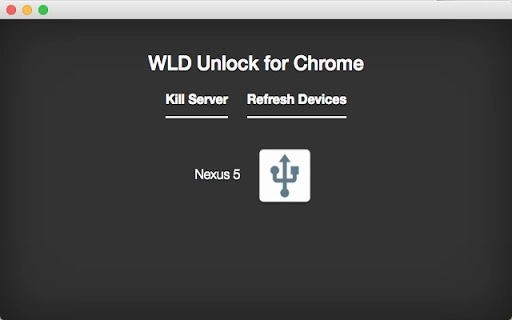
The user interface is built around a Chrome extension, providing a clean and minimalistic design that integrates seamlessly with the browser environment. Navigation is straightforward, with key functions accessible through a dedicated toolbar icon. Users initiate monitoring by connecting their Android device and launching the extension, which then communicates with the device via ADB.
The workflow is efficient, requiring only a few steps to begin analysis: install ADB drivers, enable developer options, connect the device, and activate the tool. The performance of the extension is dependent on the host system and device connection stability. The developer did not specify resource usage details, but based on general software behavior, the tool operates with low overhead during active sessions.
Stability is expected to be consistent when proper drivers are installed and the connection remains uninterrupted. No reported issues with CPU or RAM consumption were provided, though users should ensure their system meets basic ADB requirements.
Compatibility & System Requirements
The software is compatible with Windows and Mac operating systems, supporting both desktop platforms for managing Android devices. It requires the installation of ADB drivers on the host machine, such as Universal Adb Driver or Minimal Adb Driver, which are widely available and easy to install. The developer did not provide exact system requirements, including minimum CPU, RAM, or storage specifications.
Installation size and version details were not specified. Platform compatibility information is limited to the stated operating systems. Users should ensure that their PC has USB debugging enabled and that the device is properly recognized.
The tool functions through a Chrome browser extension, meaning a compatible version of Chrome is required. Overall, the setup process is standard for ADB-based utilities, but success depends on correct driver installation and device configuration.
Pros and Cons
Pros
- Non-root solution for detecting wake locks on Android devices
- Accessible via Chrome extension with simple interface
- Supports both Windows and Mac platforms
- Uses standard ADB protocols for reliable communication
- Free to download and use
Cons
- Requires ADB drivers to be installed separately
- No root access means limited depth of system inspection
- Performance may vary based on driver and connection quality
- Developer did not provide detailed system requirements
- Dependent on device compatibility with ADB and battery_stats permission
FAQ Section
Is Wakelock Detector compatible with my Android device?
Wakelock Detector works with Android devices that support ADB and have the battery_stats permission available. It has been tested on Marshmallow and Nougat, but compatibility may vary across other versions.
Do I need to root my device to use this tool?
No, the tool is designed to function without root access. It uses ADB and permission grants to perform monitoring tasks.
What ADB drivers do I need to install?
You can use either Universal Adb Driver or Minimal Adb Driver. Both are freely available and widely used for connecting Android devices to PCs.
Can I use this tool on a Mac?
Yes, Wakelock Detector supports Mac operating systems when paired with the appropriate ADB drivers and Chrome browser.
Is the software safe to use?
Yes, the tool operates through standard ADB protocols and does not modify system files. It only reads system-level data related to wake locks and battery usage.
Final Thoughts + CTA
Wakelock Detector offers a practical, non-invasive way to monitor background activity on Android devices without requiring root access. Its integration with Chrome and reliance on ADB make it a lightweight yet effective utility for diagnosing battery drain issues. While it depends on external drivers and proper setup, the tool delivers clear value to users seeking better control over their device’s performance.
It is especially beneficial for developers, tech-savvy users, and anyone concerned about battery longevity. The free availability enhances its accessibility. Download Wakelock Detector now to gain deeper insight into your Android device’s behavior and optimize its efficiency.
adb -d shell pm grant com.uzumapps.wakelockdetector.noroot android.permission.BATTERY_STATS">






